Weblearn Update – February 2025
New and improved for February 2025:
- Image block added to Ultra Documents
- Change folders to learning modules
- Improvement to rendering of uploaded files
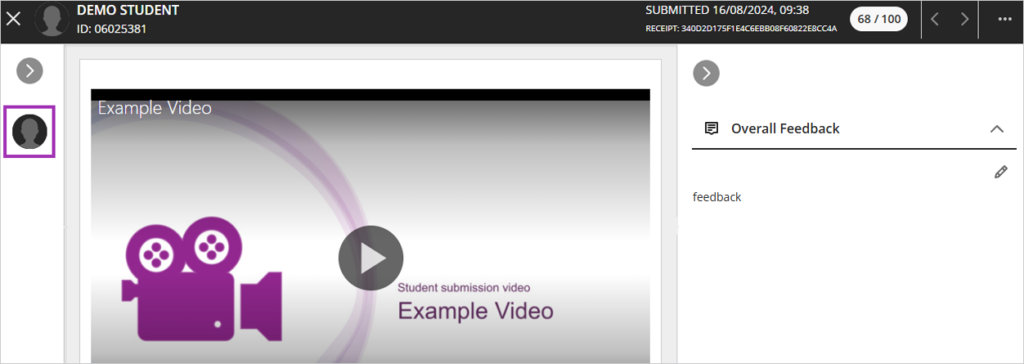
- More screen space when grading Weblearn Assignments
Image block
Release date: 6 February 2025
You can now use the ‘Image’ block to add images to Ultra Documents.

The image block allows you to:
- Upload images or use the AI Design Assistant to generate images, or select images from Unsplash
- Resize and set the height of images
- Adding images via the image block reduces white space around images
Change folders to learning modules
Release date: 6 February 2025
A learning module is a content container which provides an enhanced user experience for students which is preferable for use over folders for most module content groupings.
To find our more see Why we use Learning Modules
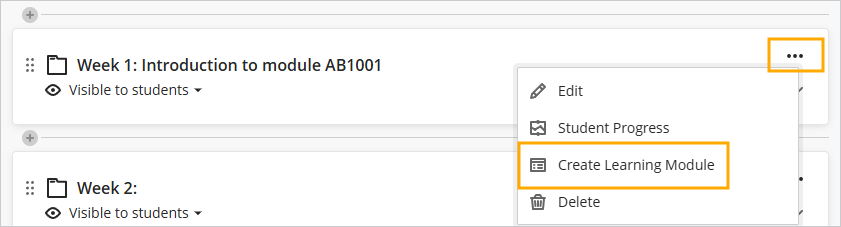
To change a folder to a learning module, click on the three dots for the folder and then select ‘Create Learning Module’
Improvement to rendering of uploaded files
Release date: 6 February 2025
Files uploaded to modules will now retain their original formatting. Files uploaded previously would be rendered and sometimes lose the original formatting. The improved rendering means that files can now be viewed by students in their original format.
More screen space when grading Weblearn Assignments
Release date: 6 February 2025
The current view of the submission grading page uses the top section of the screen to display the submission details.
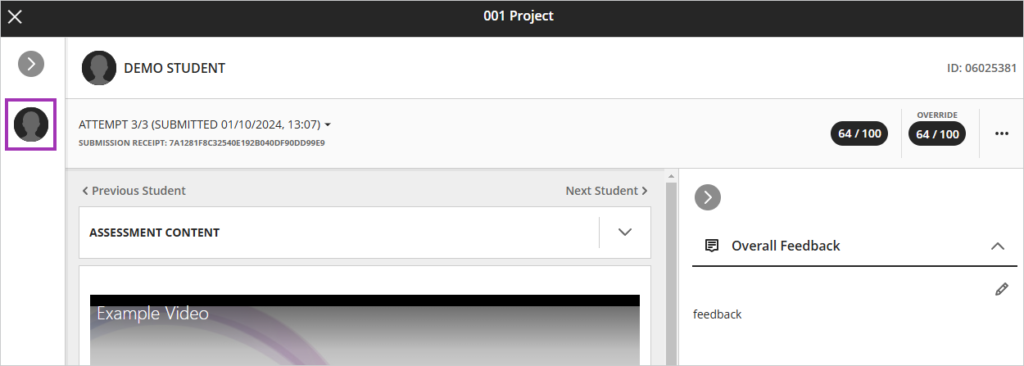
The new view has consolidated the submission details into top most section of the screen to free up more screen space when marking student submissions.