Turnitin is being updated with a more user-friendly, accessible design: Featuring a new intuitive interface, streamlined layout, and in-app guidance, the new Turnitin Feedback Studio offers an enhanced and inclusive user experience, with a goal of achieving the highest accessibility standard by the end of the year.
All current assignments will not change and will be exactly the same in both the staff and student view.
New assignments created after the update will use the new Feedback Studio.
What the change looks like
The process to set up an assignment has not changed, but you now have the option to select a Standard assignment, or a Multipart assignment.
Note: please do not use Multipart assignments unless you understand how they work.
View the full information and overview videos: New Gradebook
The Gradebook will be updated to improve the overall experience, making key features easier to find and use.
The four Gradebook tabs will be replaced with two views, the List View and the Grid View.
List View: a direct replacement for the ‘Markable Items’ tab
Grid view: access all mark and student information without the need to switch between Marks, Student and Overview tabs
There are no changes to marking Weblearn or Turnitin assignment once you’ve accessed an assignment through the new List or Grid views.
Improved Weblearn Navigation
Release date: 6 August 2026
The Weblearn navigation is changing to create a simplified and more efficient user experience.
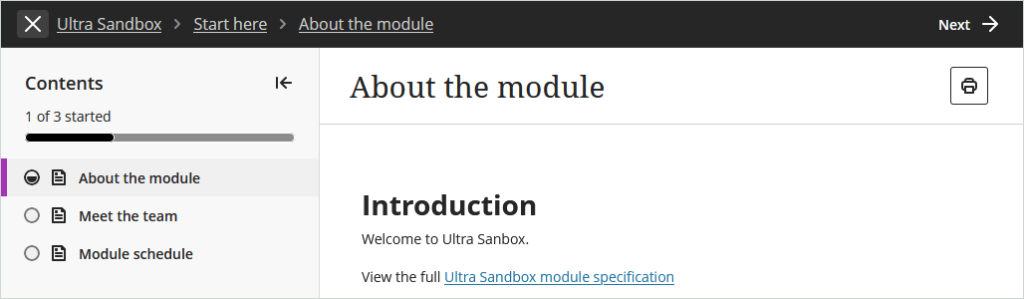
Content panels to pages: Documents, discussions, assessments, tests will open as full pages.
Breadcrumb trails: Instead of opening in a ‘panel’ that doesn’t use all of the screen space, content opens in a full page view with a breadcrumb trail at the top to get back to the starting point.
Home button: will consistently return users to the Modules page.
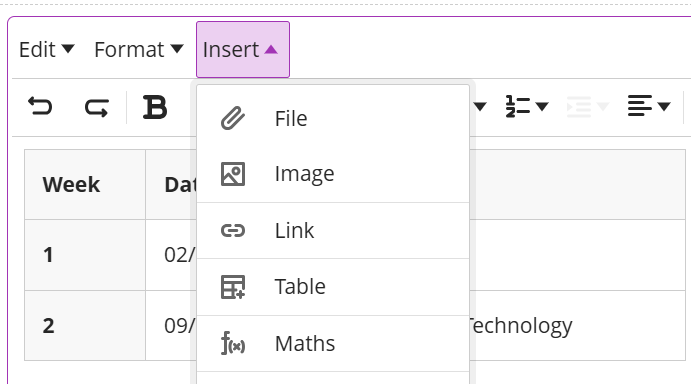
Blackboard is introducing a new Content Editor. An early ‘Beta’ version of the content editor will become available in August, the full replacement of the current content editor is expected by Jan 2027.
The new content editor provides an improved menu, table edit options and additional list types. Further functionality will appear before the full release of the final version.
The Panopto Quizzing Tool integrates Panopto quizzes or video viewing progress with the Weblearn Gradebook, making it easy to use video for formative tasks and measure how students have engaged with the video content.
Quizzing tool links can be created in:
Learning Modules
Content Page (e.g. for Welcome Video)
Example: Students can take an interactive Panopto Quiz in a Learning Module and the results will be displayed in the Weblearn Gradebook after they completed the video quiz.
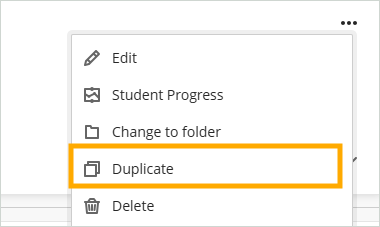
Duplicate items on course content page
Release date: 6 August 2026
Instructors can now duplicate items on the Module Content page. The duplicate retains all content and settings from the original content.
The duplicate option will not include integrated items such as the reading list or Panopto Video links.
Weblearn Assignments: specify assignment submission type
Group Assignments: adjust marks for individual students
Discussions: multiple due dates and participation requirements
AI Conversation: use message limits
Weblearn Assignments: specify assignment submission type
Release date: 2 April 2026
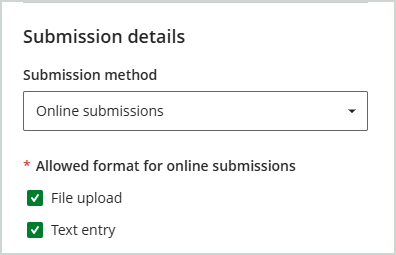
Instructors will be able to specify if students can upload files only, or use the content editor to enter text and/or insert video submissions, or select both options.
Note: future improvements will include the option to specify the expected file type.
File upload option
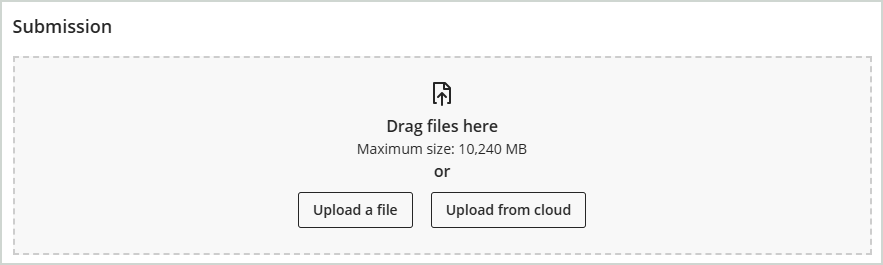
The new design of the file upload area makes it clearer to students where they can upload their files.
And once they have uploaded, they can view and check their files before submitting.
Text entry option
The ‘Text entry’ option does not include an option for students to upload files. Using the Text entry option will allow students to:
Enter text into the content editor
Embed videos from Panopto using the ‘More Tools’ option
Group Assignments: adjust marks for individual students
Release date: 2 April 2026
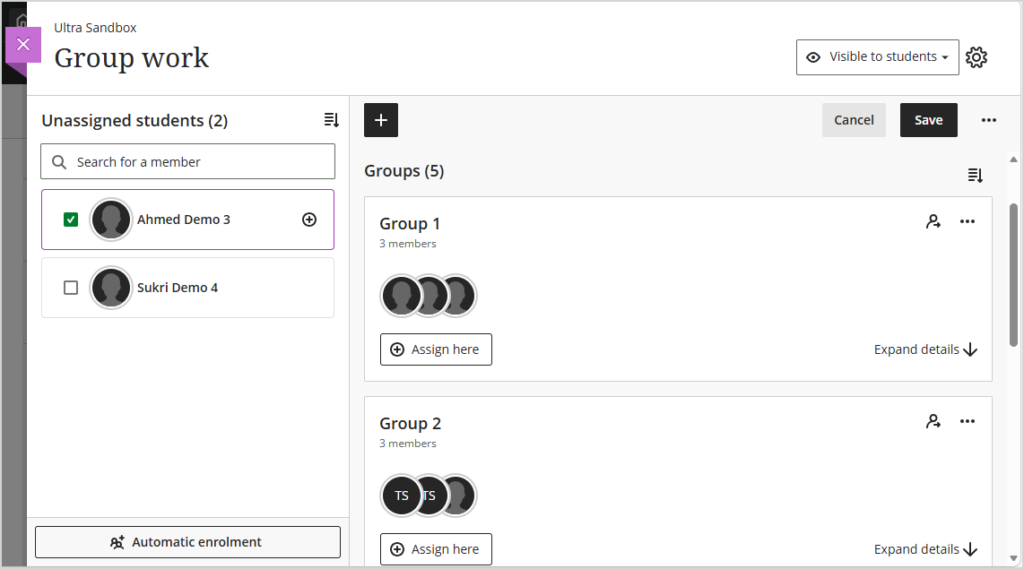
Instructors can now adjust marks for individual students within group submissions. The group submission options now include:
Overall mark (applied to all students within the group)
Overall feedback (visible to all students within the group)
Ability to adjust mark for individual student (only the adjusted mark can be seen by the student)
Add individual feedback for each student
Discussions: multiple due dates and participation requirements
Release date: already available on Weblearn
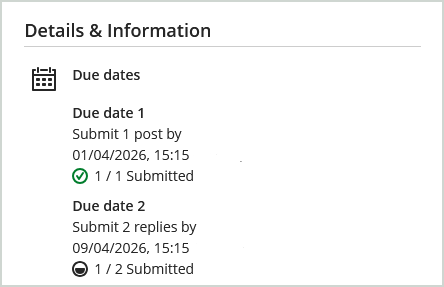
Marked discussions can now include multiple due dates with specified participation requirements. For example, students can be required to add a discussion post by due date A, and then post two replies by due date B.
The discussion requirements and the students progress is displayed to students on the discussion page under the ‘Details & Information’ area.
AI Conversation: use message limits
Release date: 2 April 2026
Instructors can now set message limits in AI conversations to help set expectations for participation. Students will see an indicator letting them know how many responses they have before they the conversation will end.
As part of the January release on Weblearn, the Weblearn navigation is changing to create a simplified and more efficient user experience..
What’s changing?
A cleaner layout on the Base Navigation menu
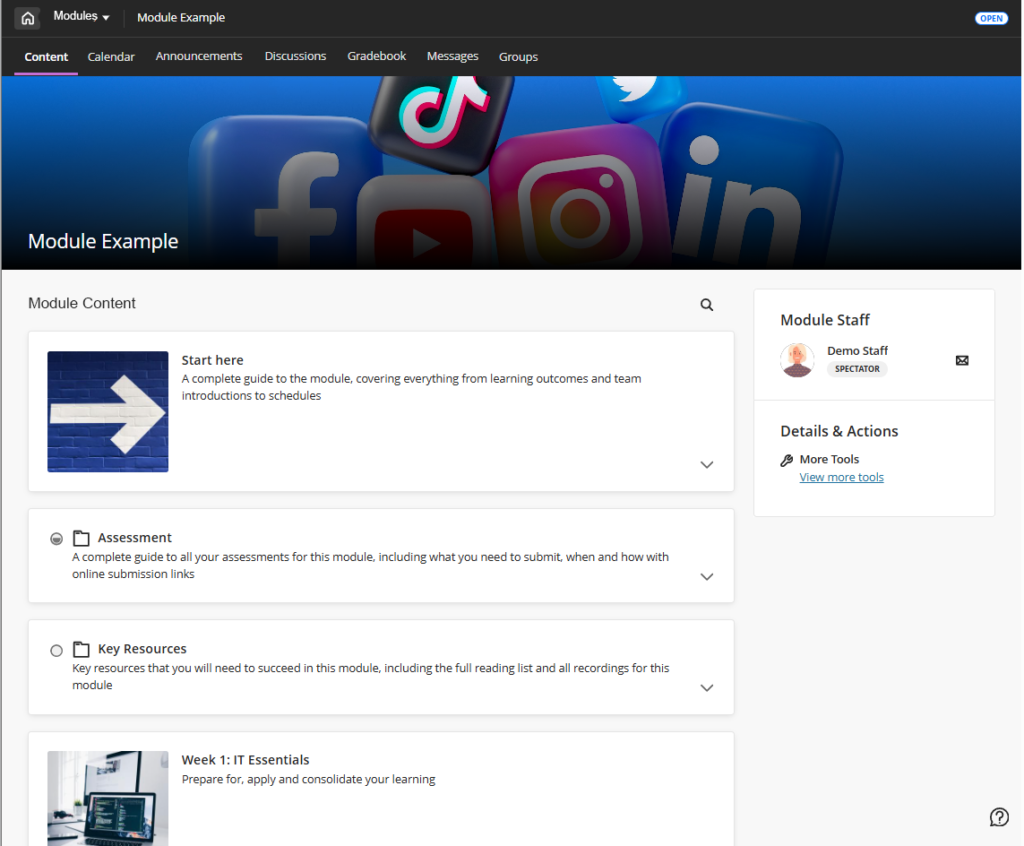
Modules open in full screen mode
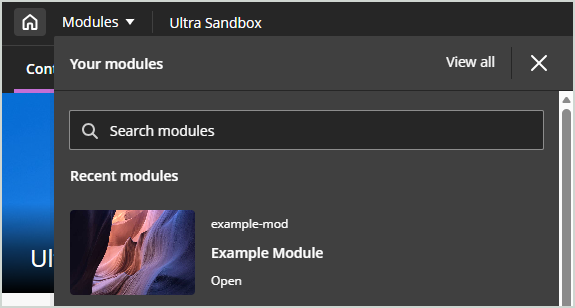
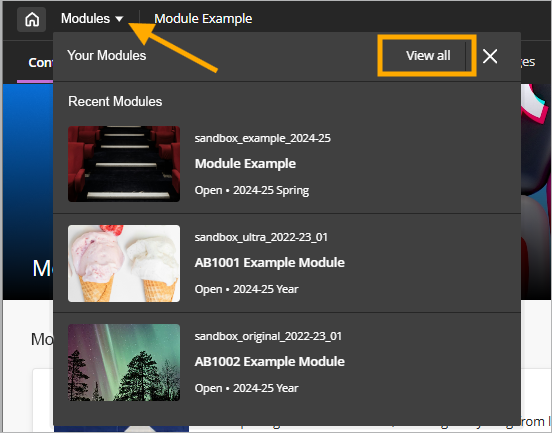
New module switcher to navigate between modules
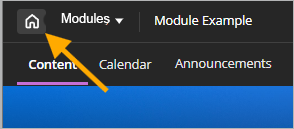
New ‘Home’ button
Full Screen Mode
Modules will open in full screen maximising the screen real estate and creating a cleaner look and feel.
Home Button
The ‘Exit (X)’ button has been replaced with a ‘Home’ button which will return users to the main Weblearn menu reducing navigation errors where users accidently click the X and leave the module.
Module Switcher
The new module switcher allows you to navigate between your recently accessed modules more quickly, or return to your full list of modules by selecting the ‘View all’ option.
Automatically send messages to students when a mark is posted
Ally PDF Quick Fixes
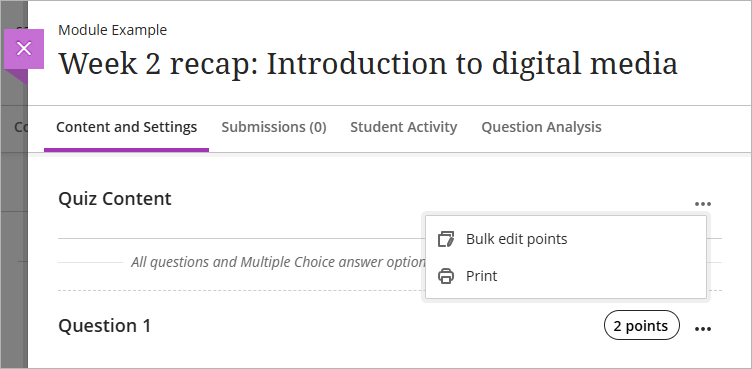
Bulk change question points in tests
Generate or upload custom Achievement badges
Automatically send messages to students when a mark is posted
Release date: 6 September 2025
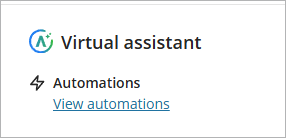
The new Virtual Assistant allows instructors to automatically send messages to students based on the performance criteria for assessment tools.
The automation options currently include:
Send congratulatory message: Send a congratulatory message when students achieve a high score.
Send supportive message: Send a supportive message when students do not achieve a specified score.
The messages are fully customisable allowing instructors to provide additional help and support or information about reassessment opportunities where appropriate.
Ally PDF Quick Fixes
Ally has introduced a new PDF Quick Fixes feature. The feature allows you to easily apply OCR (Optical Character Recognition) to a PDF. Applying OCR adds a hidden text layer, making the content accessible without changing its appearance.
Instructors can now update the point values for test questions using new bulk editing options.
The bulk update options include:
Select all questions at once, with the option to deselect specific questions if desired.
Select specific questions
Select questions by question type
Select questions by type and select specific questions.
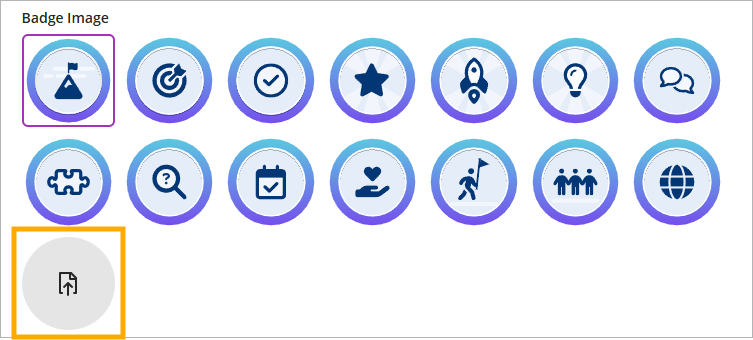
Generate or upload custom Achievement badges
Instructors now have three new options for customising Achievement badge: AI-generated images, choose from a selection of stock images from Unsplash, and manual image uploads.
Unsplash: Instructors can search from a section of stock images from Unsplash
Badge Image Upload: Instructors can also upload custom-designed badge images for use in Achievements.
Generate images: Instructors can enter keywords to generate badge images using the AI Design Assistant.
New Microsoft Education integration with Weblearn (replaces the Microsoft Teams Weblearn integration)
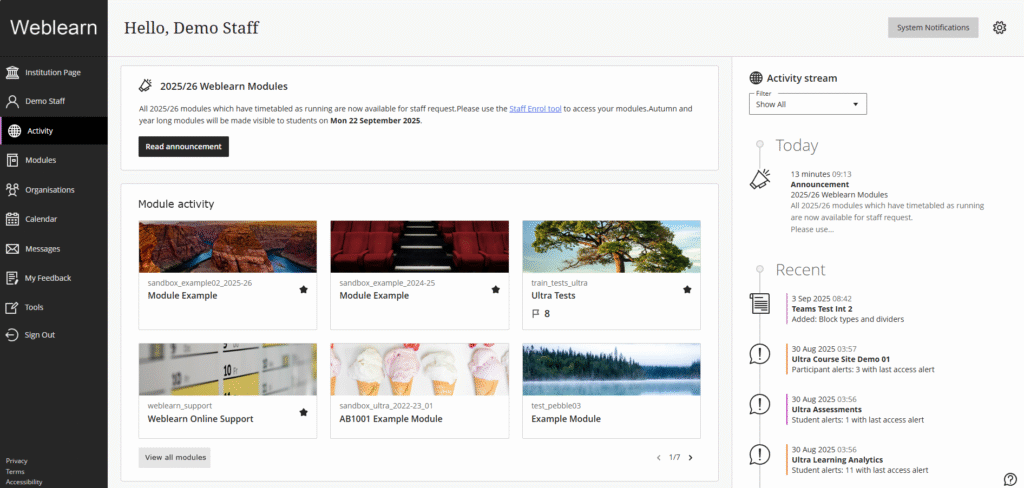
New Activity page for staff
Block styling options for Documents – available date confirmed
Start of year resources for students
New Microsoft Education integration with Weblearn
Release date: September 2025
The Microsoft Teams integration with Weblearn will be replaced with a new Microsoft Education integration. The ‘Microsoft Teams’ link available under the Details and Actions menu will change to ‘Microsoft Education’.
Note: During the switchover period Microsoft Teams will be unavailable in modules on Weblearn.
Existing meetings set up using the current integration will continue to work after the change.
New Activity page for staff
Release date: 4 September
Blackboard have updated the Activity page for instructors to improve usability and efficiency. Previously, this page only displayed the activity stream—a chronological list of module updates and upcoming events. This update streamlines module oversight, making it easier and more efficient to access modules, view system wide announcements and module updates.
Block styling options for Documents
Release date: 4 September
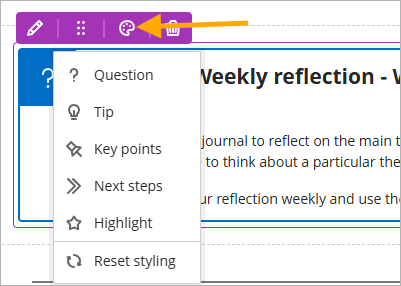
Instructors will have the ability to enhance the visual appearance of content using the content styling blocks.
The style options include:
Question
Tip
Key points
Next steps
Highlight
To style a block, click on the style icon in the menu.
Start of year resources for students
The student resources page for staff contains up-to-date start of year slides and videos for Weblearn, IT essentials and online submission.
Staff can adapt or reuse any of the resources provided.
Table of Contents in Learning Modules for students
Document layout suggestions
Add captions to image blocks in Documents
Messages options can be updated in modules
Auto-generate AI Conversations
File Restrictions on Weblearn
Block styling options for Documents
Release date: Postponed – new date planned for September
Instructors will have the ability to enhance the visual appearance of content using the content styling blocks.
The style options include:
Question
Tip
Key points
Next steps
Highlight
To style a block, click on the style icon in the menu.
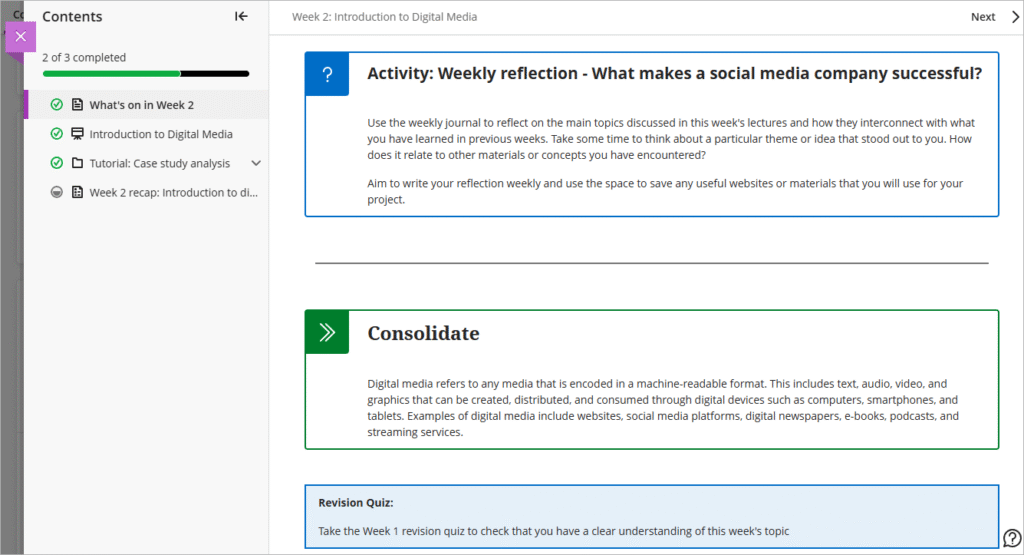
Table of Contents in Learning Modules for students
Release date: Thursday, 7 August
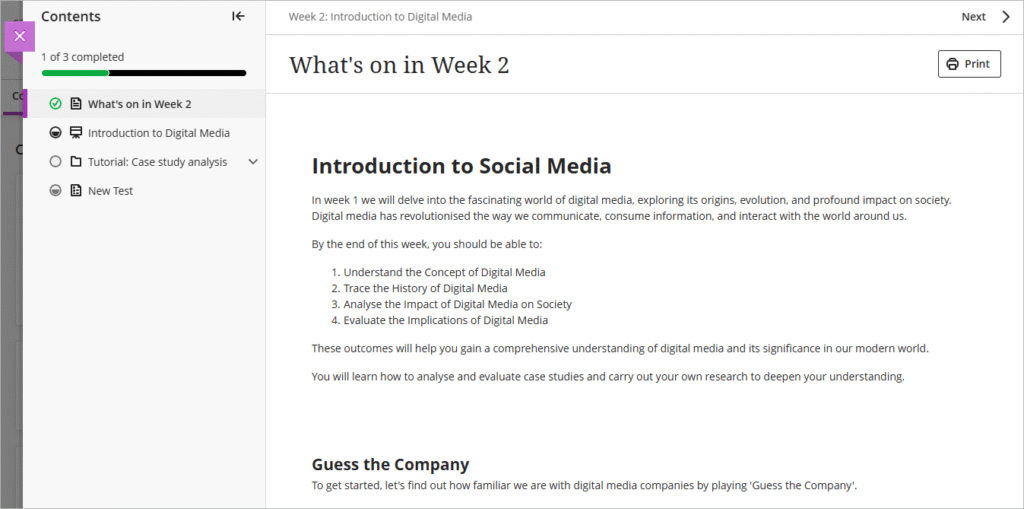
To enhance usability and assist with navigation, a table of contents has been added to the Learning Module and Folder view for students making navigation, orientation, and progress tracking more intuitive.
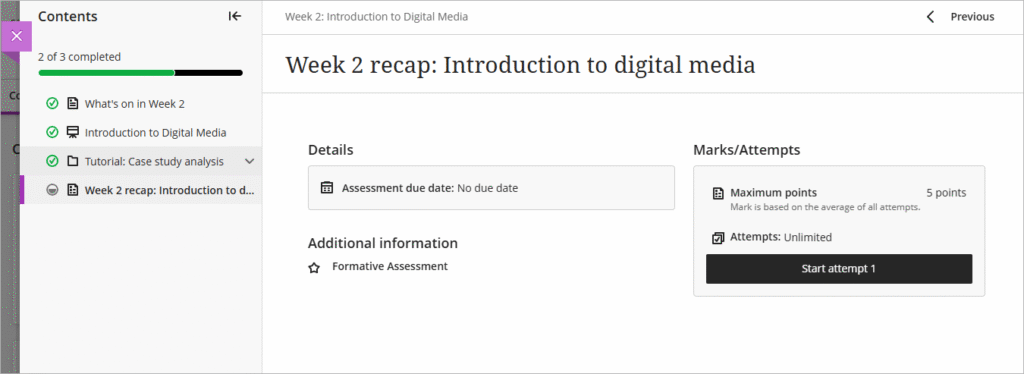
As part of this update, assessments now open in the full panel, rather than the small side panel, making viewing assessment more constant and easier to view.
Document layout suggestions
Release date: already available on Weblearn
The new Layout Suggestion Tool uses the AI Design Assistant to help design more engaging documents for students. The tool offers the following features:
Layout Suggestions: The Design Assistant suggests structured layouts and automatically adds helpful headings to improve readability.
Images: Instructors include AI-generated images or select stock images from Unsplash.
Knowledge Checks: Instructors can include automatically generated multiple-choice questions based on the document’s content.
Add captions to image blocks in Documents
Release date: already available on Weblearn
You can now add captions to images using the document image block options.
Messages options updated in modules
Release date: Monday, 18 August
Instructors will have the flexibility to customise messaging options within their modules. Where appropriate, they can enable student-to-student messaging, allowing learners to communicate with each other directly through the module.
Messages Options:
Learners can message anyone in their module
Learners can only message staff and learners in their groups
Learners can only message staff
Learners can only reply to messages
The message options can be changed via the Module Settings area.
Auto-generate AI Conversations
Release date: already available on Weblearn
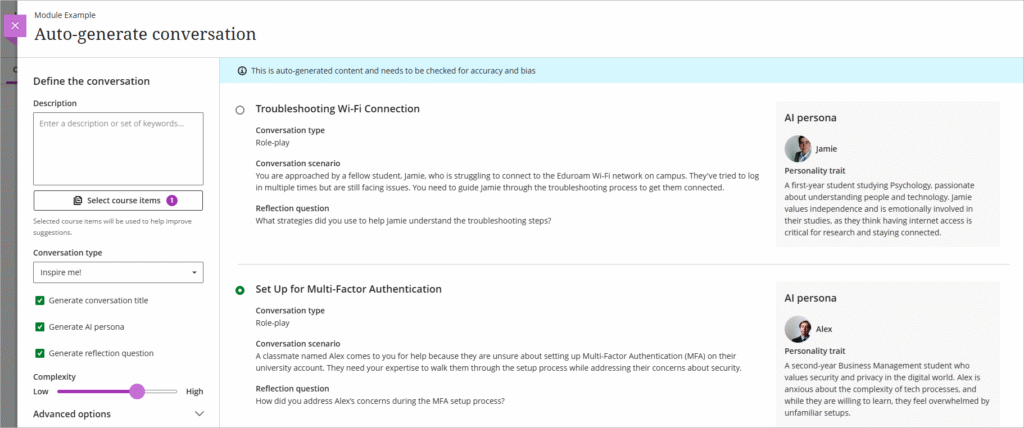
Auto-generate AI Conversations based on module content. The generator will auto-generate:
Conversation title
AI persona
Reflection question
You can choose form role play or socratic questioning conversation types.
File Restrictions on Weblearn
Video files over 50MB and files which exceed 1GB in size cannot be uploaded to Weblearn.
All video files should be stored on Panopto, the London Met video platform.
Large files can be uploaded to OneDrive and then shared via a link added to Weblearn.
Indicator if student has or has not reviewed feedback
Replace Feedback column with actionable Results column in student Gradebook
Print Ultra Documents
Indicator if student has or has not reviewed feedback
Release date: Thursday, 3 April 2025
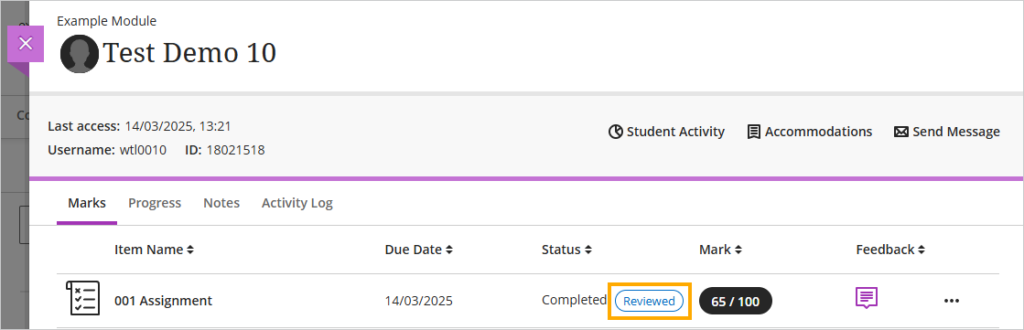
You will now be able to check if a student has accessed their feedback for a Weblearn assignment.
To view the indicator go to the Gradebook and click on the ‘Students’ tab
Next, locate the student in the list and click on their name
On the student overview page you will be able to see the ‘Reviewed’ or ‘Not reviewed’ status for the students submission.
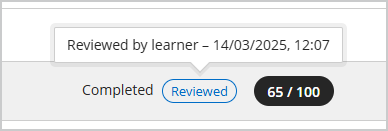
Hover the mouse pointer over the ‘Reviewed ‘ status to see the time and date that the student accessed the feedback.
Enhancements to student access for assessment results
Release date: Thursday, 3 April 2025
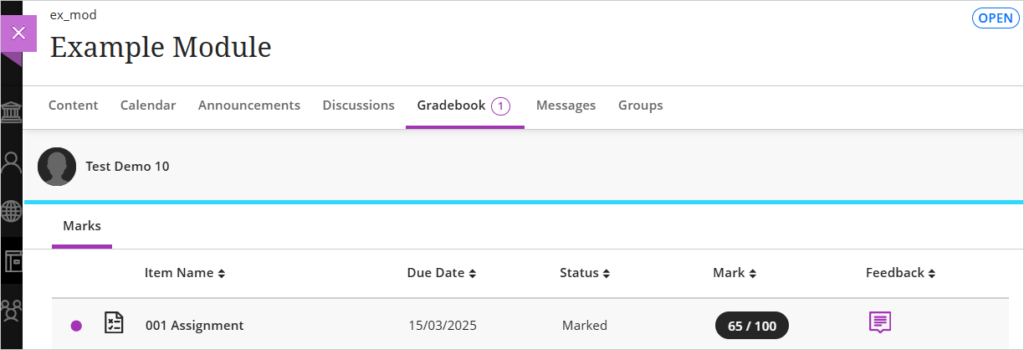
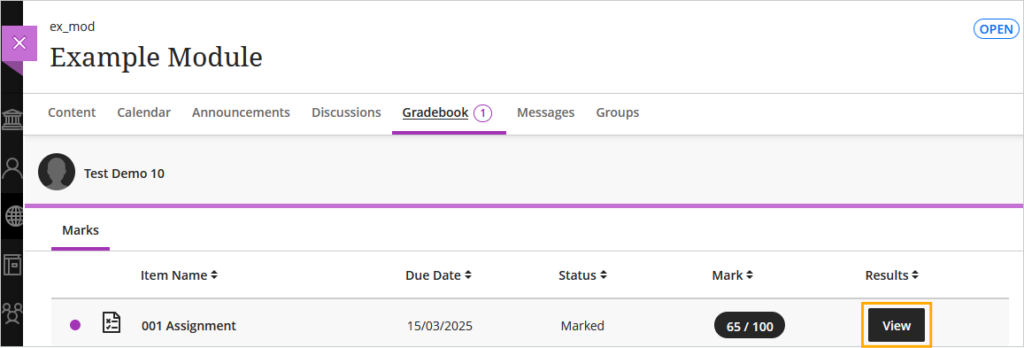
To make it clearer and easier for students to access their assessment results, the ‘Feedback’ column in the student view of the Gradebook has been replaced with a ‘Results’ column, featuring a clear indicator for students to ‘View’ their results.
The current view shows the ‘Feedback’ column with a purple speech bubble icon to indicate feedback is available.
The new view shows the ‘Results’ column with a ‘View’ button to access the results.
Print Ultra Documents
Release date: Thursday, 3 April 2025
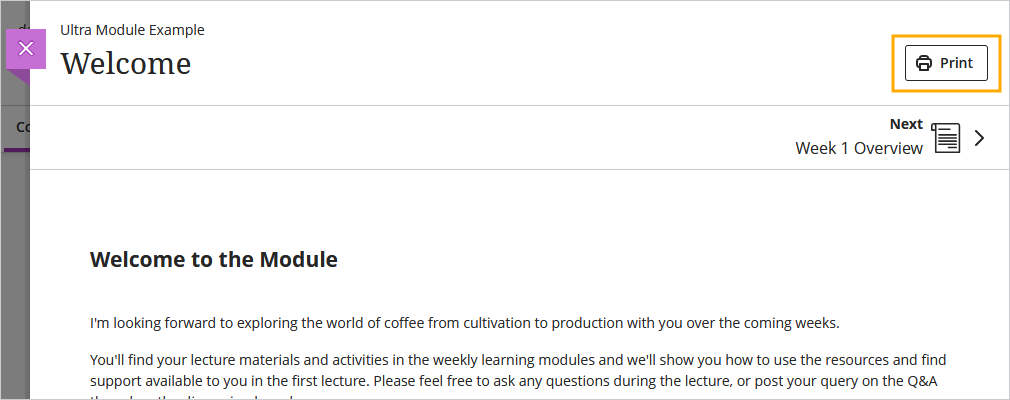
Instructors and students can now print Ultra Documents or save them to PDF.
Knowledge check content blocks print with all the question and answer options visible.
All other blocks print as displayed outside of editing mode.