Weblearn Update – November 2024
Ally Accessibility Improvements
Release date: already available on Weblearn
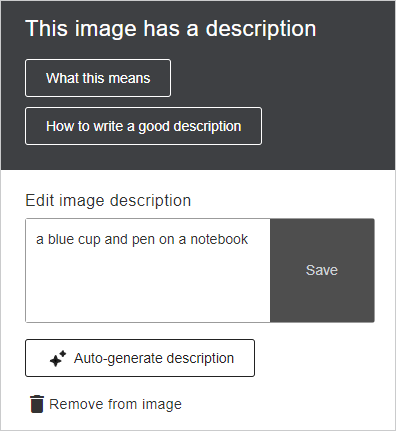
Auto generate image descriptions
The Weblearn design assistant is now available to help instructors generate image descriptions.
Launch the module Accessibility Report from the more tools link in the module

Use the ‘Auto-generate description’ button to automatically generate a description.
Find our more about Accessible Images
Ultra Documents – check accessibility score and fix broken weblinks
Open the document in Edit mode and then wait a couple of seconds – the accessibility percentage gauge will then be displayed next to visibility options at the top of the document.
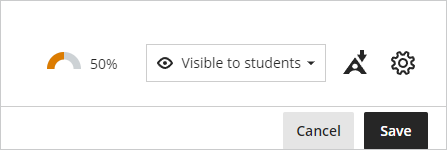
Simply click on gauge to open the report to review and fix the accessibility issues.
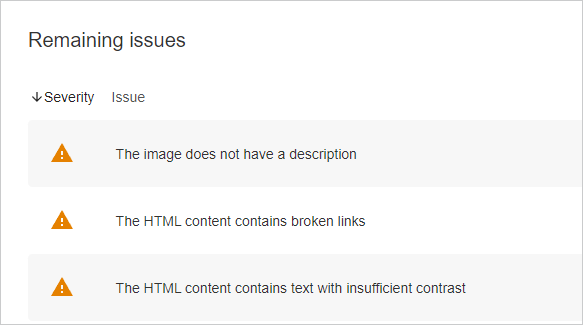
Broken weblinks will show as ‘The HTML content contains broken links’
Download Option for Student Activity Log
Release date: 7 November 2024
The student activity log is now available to be downloaded.
Note: the Student Activity Log shows the past 140 days of student activity.
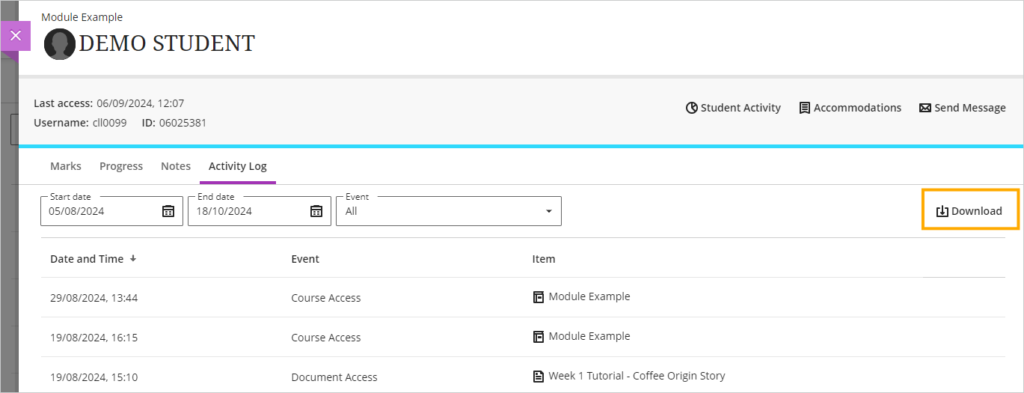
To access the log:
- Open the Gradebook page in the module
- Click on the ‘Students’ tab
- Select the student you would like to view the log for
- Click on the ‘Activity log’ tab
Modules unavailable to students show as ‘Locked’
Release date: 7 November 2024
Modules which are not available for student access currently show as ‘Private’ on Weblearn. To make the status clearer to students the status is being updated and will show as ‘Locked’

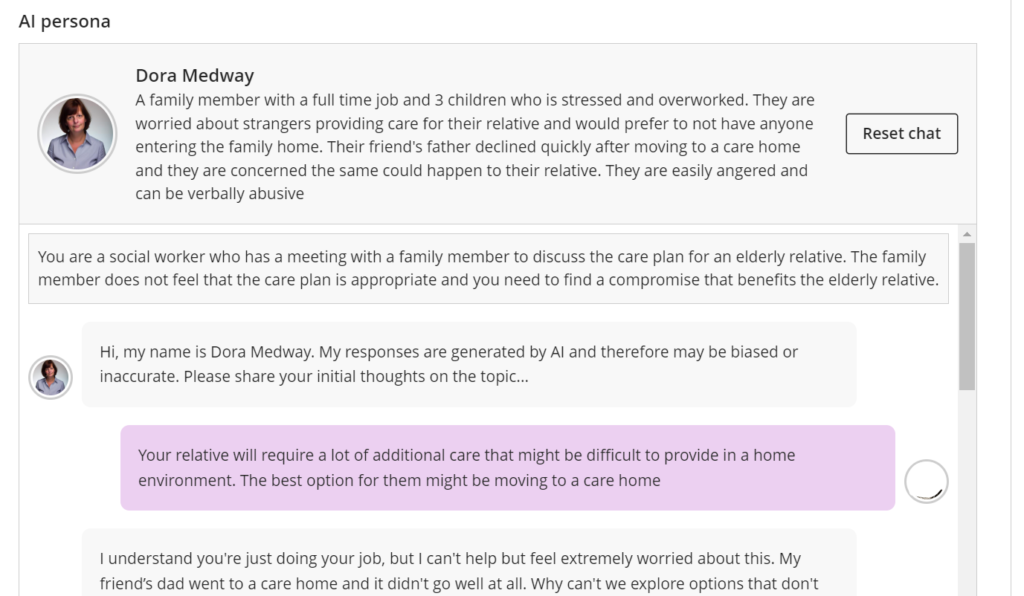
Role Play option added to AI Conversation
AI Conversations provide active learning opportunity to encourage critical thinking on a set topic. Engaging with AI Conversations and learning how to critically evaluate the conversation responses can support the development AI literacy.
The new Role Play option provides an opportunity for students to apply knowledge in a simulated environment.
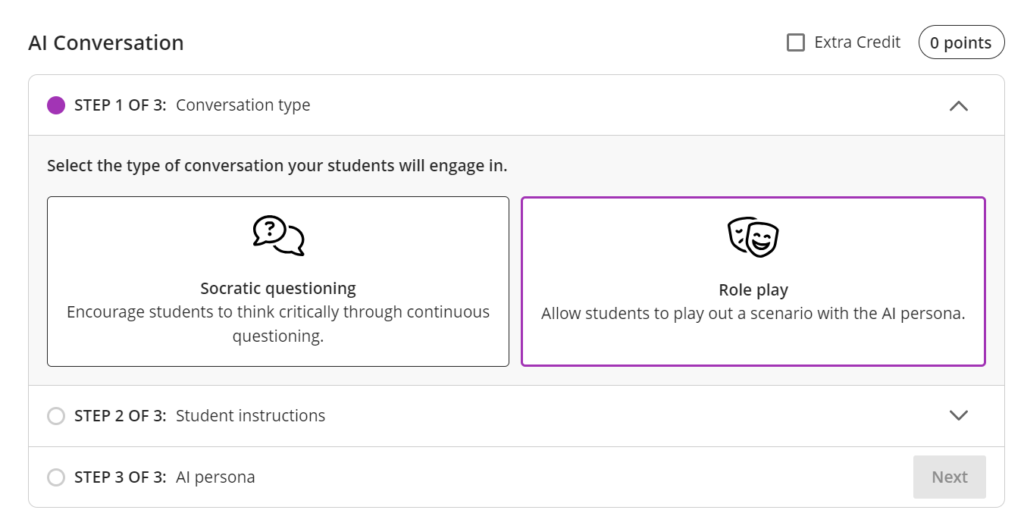
The instructor defines a role play scenario where the student interacts with an AI persona to gain practical experience in a safe environment for experimentation.
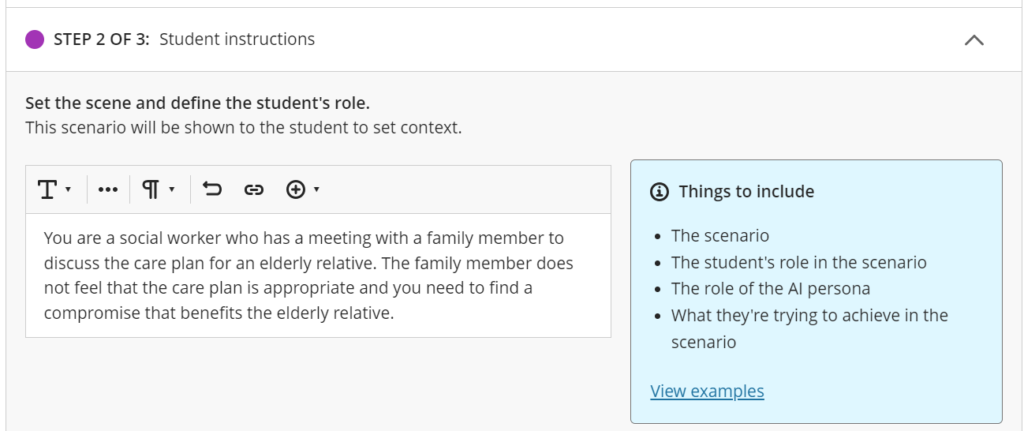
The AI persona can be customised by editing the name, image and ‘personality traits’ . The instructor selects the complexity of the responses to suit the learner cohort.
Once the role play has been set up, the preview chat can be used to check the AI responses based on the provided scenario before releasing it to students.