
Coming Soon – Spring 2024
Improved Gradebook navigation
Release date: 6-8 May
Blackboard have replaced the grid and list view buttons with tabs to make navigating the gradebook views more intuitive. The new options are:
- Markable Items: to view the list of all assessments on the module
- Marks: to open the grid view of the Gradebook (similar to the Grade Centre in Original modules)
- Students: to view the list of all students on the module

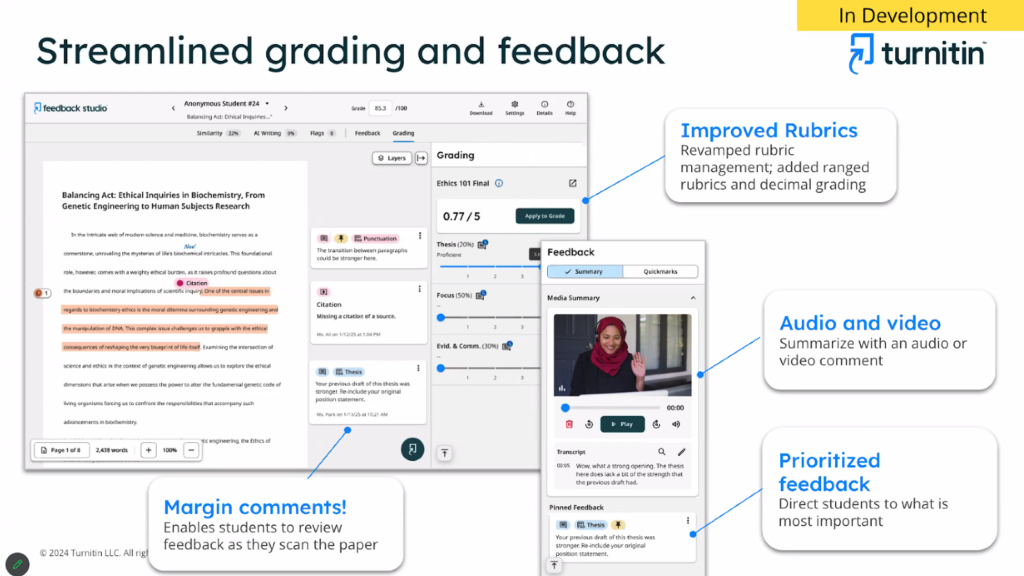
Updated Turnitin Feedback Studio
Release date: TBC
Turnitin are updating the look and feel of the Feedback Studio to make it easier to view the similarity report.
The navigation will change to a tabbed navigation menu at the top of the feedback studio window:

There will be no changes to the way you create assignments and access or mark student submissions.
View an example: New Turnitin similarity report
Multiple performance criteria in release conditions
Release date: 6-8 May
Release conditions determine when students can view module content. Release conditions are on the content’s visibility setting on the module content page. Currently, you can set:
- Which module members or groups have access;
- When the module content is accessible, visible, and hidden;
- When student performance is necessary for completing an assignment or scoring.
Instructors can now set more than one performance criteria per content item.
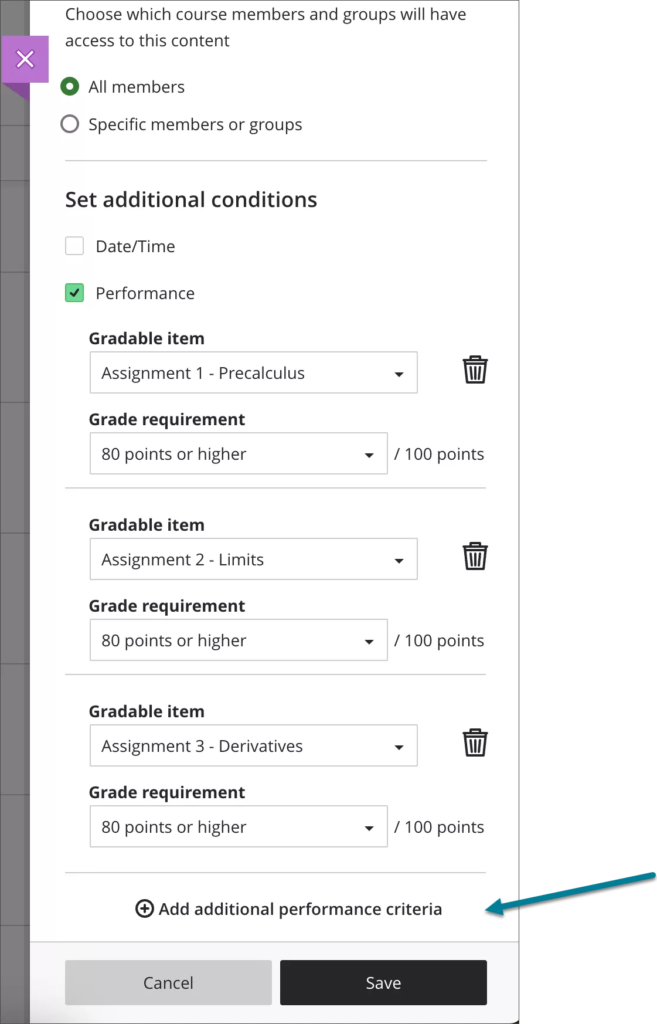
Image 1. Release condition panel with additional performance criteria selected