
If you have created a video in your Private folder on Panopto, you can ‘Move’ the video into another folder to publish it to students.
Do not ‘Move’ videos out of modules from the previous academic year because they need to remain to available to that module cohort. If you would like to reuse a welcome or instructional video please use the Copy a video into another module option.
- Hover your mouse pointer over the video you want to move. A tick box will appear on the video.
A row of buttons will appear at the top of the screen
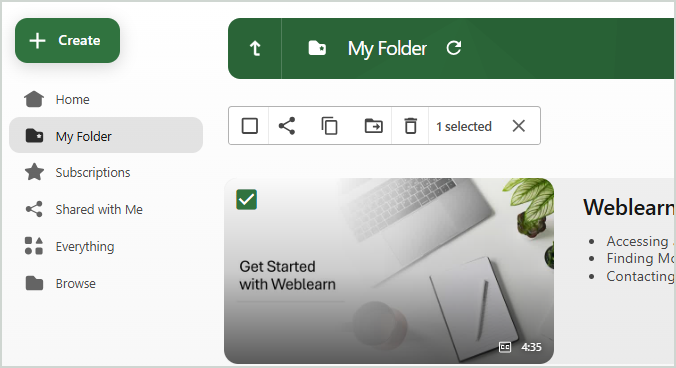
- Click on the ‘Move’ icon

- Type the folder name of the folder where you want to move the videos to into the ‘Move video(s) to’ search field and then select the folder from the list of folders displayed

- Click on the ‘Move’ button

The videos will disappear from the folder and appear in the folder you have chosen to copy the videos to.