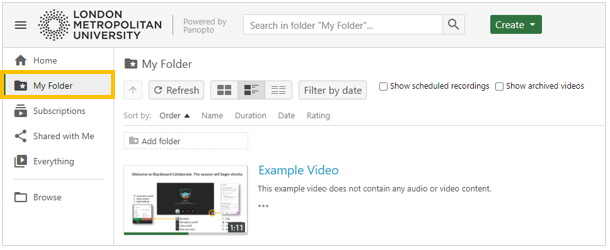
Panopto is a video management tool that is used to record lectures at London Met.
Panopto Accounts
All Weblearn users will automatically be issued with a Panopto account. Users will be able to access Panopto through Weblearn or directly log into the London Met Panopto website.
If you are a PSD member of staff who requires access to Panopto, please log a call through the IT support portal.
Access Panopto
Panopto can be accessed through Weblearn or through a direct link to the London Met Panopto site.
For Lecture recording, staff must access Panopto through their Weblearn module to ensure the recording will be saved in the right location.
Weblearn link to Panopto
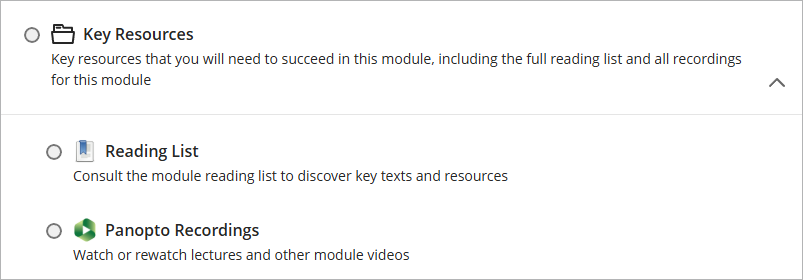
All Weblearn modules will contain a link called ‘Panopto Recordings’ which is incorporated into the London Met module template.
Click on the link to view recordings for the module or to start a new recording that will be automatically saved into the module’s Panopto folder.
- Log into Weblearn
- Navigate to your module
- Open the Key Resources folder and click on the Panopto link
- If Panopto asks for authentication, enter your London Met username and password
The Panopto folder for the module opens. Staff who are enrolled on the module as instructor or teaching assistant can create new videos, start editing existing videos and manage access to recordings.
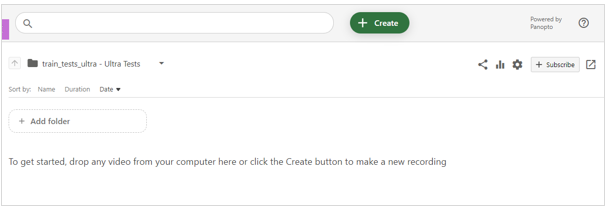
To copy recording from other locations or access their private folder, users need to open Panopto in the full browser view.
Full browser view for Panopto
The full Panopto view allows users to browse all their Panopto folders including:
- A personal folder for the user called ‘My Folder’
- Panopto Folders for all modules the user has access to
- Any school or departmental folder the use has access to
Access the full Panopto browser view from Weblearn
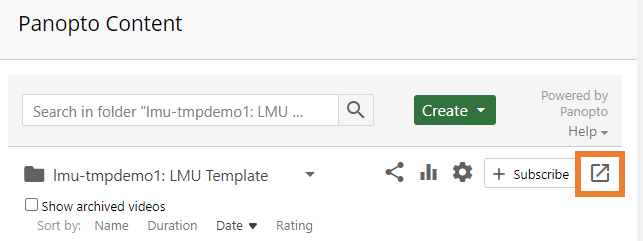
- Open the ‘Panopto Folder’ in a Weblearn module
- click on the ‘Open in Panopto’ icon
Access the full Panopto view directly
Users with a Weblearn account can also access the full Panopto view directly by login into the London Met Panopto site.
- Go to https://londonmet.cloud.panopto.eu/
- Make sure ‘Londonmet’ is selected from the drop down menu
- Enter your London Met username and password

Browse all Panopto folders
- Open Panopto in the full Panopto view
- Click the ‘Browse’ button to see all folders available to you

- Click on the ‘tree item’ arrow icon to the left of the folder name to view all subfolders.
If a folder is greyed out, it means you do not have permission to view the folder, but will be able to view one or more of its subfolders.
Panopto folders for Weblearn modules are listed under ‘Blackboard’.
Access ‘My Folder’ (private folder)
All users have a personal folder on Panopto called ‘My Folder’ which is private. The folder can be used to create videos which are not yet ready to be published to viewers, or to practice using Panopto.
To access your ‘My Folder’:
- Open the ‘Panopto Folder’ in a Weblearn module
- Click on the ‘Open in Panopto’ icon

- Select ‘My Folder’ from the menu on the left