
Attendance reports are available to the meeting organiser and co-organisers via the meeting invite in the Teams Calendar.
The Attendance report is only available through the Teams Calendar, the option will not show when accessing the invite through the Outlook Calendar.
- Open Teams in the application or log into the browser version.
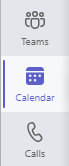
- Click on the calendar icon on the menu to the left.
- Click on the meeting invite in the Teams Calendar and select ‘Edit’ to get to the details page. For recurring meetings, select ‘Edit series’.

- Click on the ‘Attendance’ tab to open the Attendance report.
- Click on ‘Download’ to save a copy of the attendance list on your device.

For recurring meetings, you can access report for different dates by clicking on the dropdown arrow next to the date.
