
Content can be copied from one Module to another Module using the ‘Copy Content’ function. Once all the relevant content is copied you can use ‘Batch Edit’ to make the new content visible for student use.
View the video: Copy Content
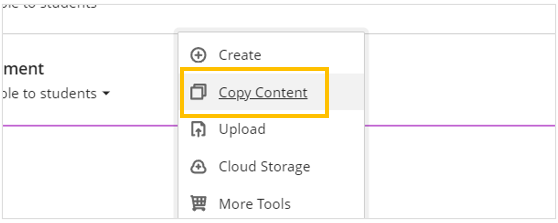
- Click on the Plus sign (+) in the location where you want the copied content to appear
- Select ‘Copy Content’
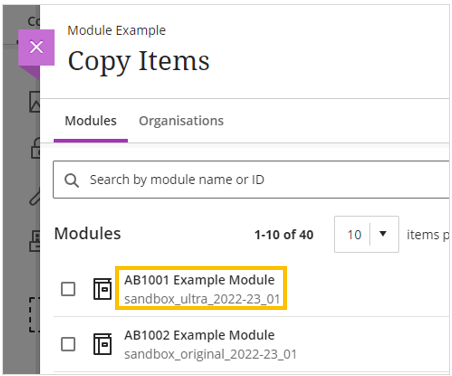
- Use the search option to find the module where you want to copy the content from
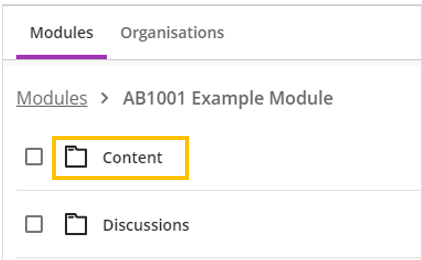
- Click on the module name, then click on ‘Content’
- Locate and select the content item(s) you would like to copy
- Select ‘Start copy’
Copy Content
- Click on the Plus (+) sign and then select ‘Copy Content’
- On the ‘Copy Items’ panel locate the module you would like to copy content from and then click on the module name.
- Click on the ‘Content’ folder
- Select all of the content you would like to copy by clicking the checkbox next to the item title
- Select ‘Start Copy’

Once the copy has completed, all of the learning modules and the content will appear on the Module Content panel.
Manage file visibility
All content created or copied into Ultra modules will be ‘Hidden from students’. You might want to keep some Learning Modules hidden or use conditional release make them visible at a specified date.
We recommend to make all content in Learning Modules visible and then apply any conditional release setting to the Learning Module.
If the items inside the Learning Module remain hidden, students will see an empty Learning Module.
Once you have copied and updated your content, make all Learning Modules and their associated items ‘Visible to students’ using the Batch Edit option
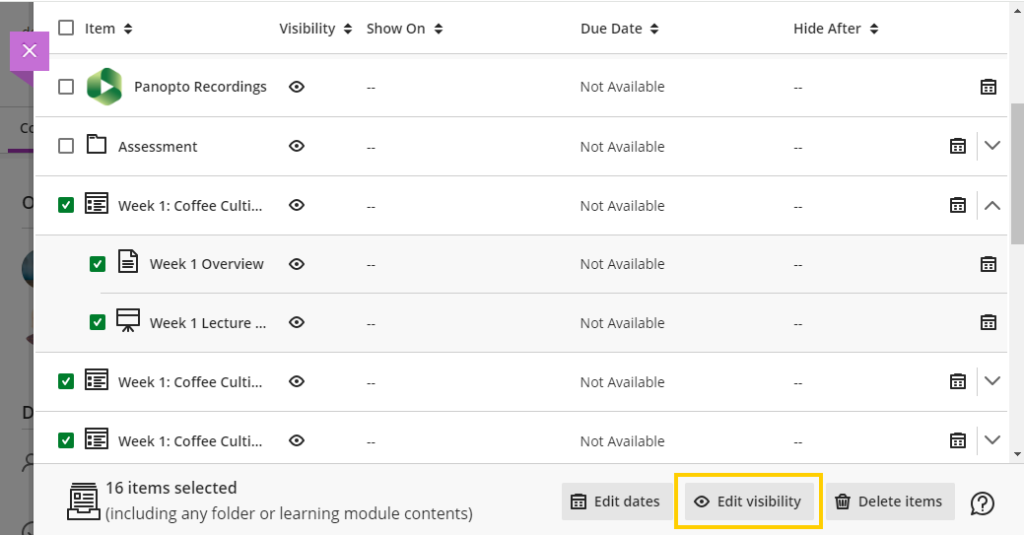
Students will now be able to see all of their Learning Materials.
You can now apply conditional release or hide the Learning Module from the Module Content page.
Click on ‘Visible to students’
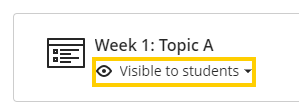
Select ‘Hidden from students’ or ‘Release Conditions’

If you are using ‘Release conditions’ for all Learning Modules, you can also specify the date of the release through batch edit to the each Learning Module and the items contained within.