
Module teaching staff should add themselves to modules as Instructor by using the Staff Module and Organisation Enrolment Tool.
The tool allows you gain instant access to your modules and course sites, and remove yourself from older modules you no longer require access to.
Access Modules as an Instructor
To access the Staff Module and Organisation Enrolment Tool:
- Click on the ‘Tools’ button on the main Weblearn navigation menu and then select ‘Staff Enrol’

- Click on the ‘Request Module’ button
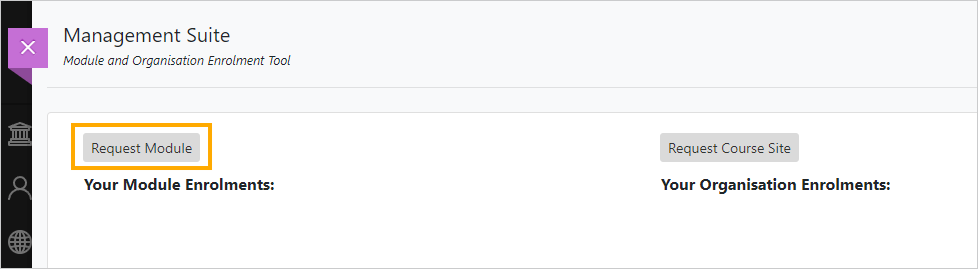
- Enter a partial or full module ID and click on ‘Go’ to get a list of available modules

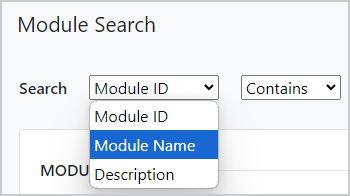
Note: if you would like to search by module name rather than ID, click on the search dropdown menu and select ‘Module Name’
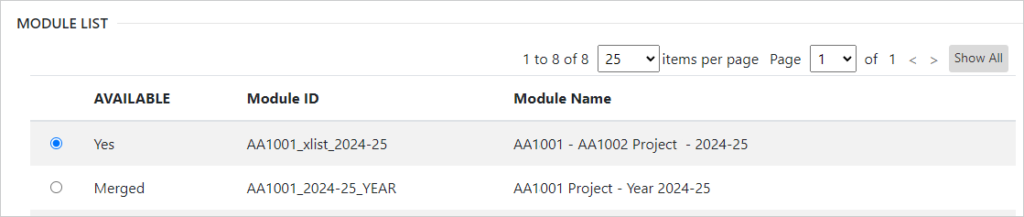
- Select the module to which you want to be added as Instructor
Note: if your module shows as ‘Merged’ only select the version which shows the availability as ‘Yes’.
- Click ‘Submit’ to complete the module selection
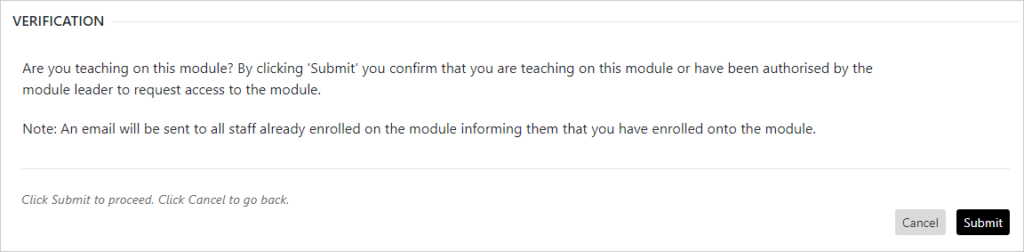
On the verification page you need to confirm that you are authorised to access the module as an instructor. If you are not authorised please contact the module leader to request access before using the staff enrolment form.
- Click on ‘Submit’ to confirm your enrolment on the module.
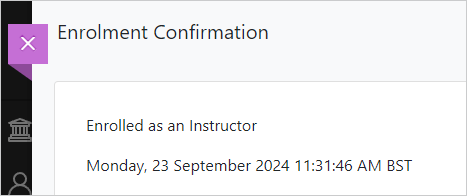
You will then see a confirmation screen and an email will be sent to all instructors on the module notifying them that you have enrolled as an instructor.
Note: the email will be sent from no-reply@mail.tp-app.bb-icm-hosting.net
Remove Staff from Modules
The Module and Organisation Enrolment Tool allows you to remove yourself and other members of staff from modules.
- Click on the ‘Tools’ button on the main Weblearn navigation menu and then select ‘Staff Enrol’
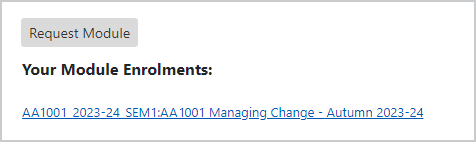
- Click on the module link under your list of enrolled modules
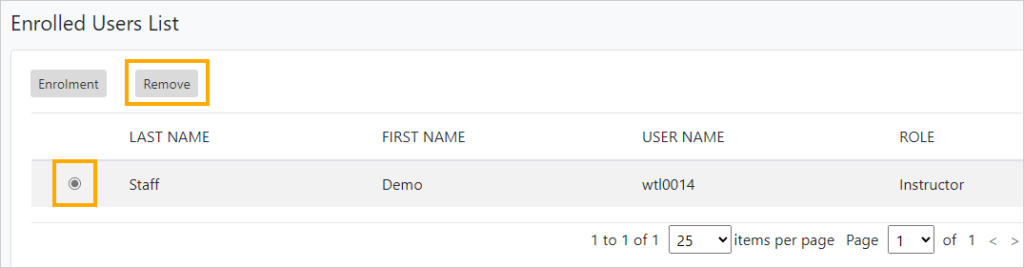
- Locate and select your name, or the name of the person you would like to remove’ in the Enrolled Users List and then click on the ‘Remove’ button
- On the confirmation dialogue box, click on ‘Yes’
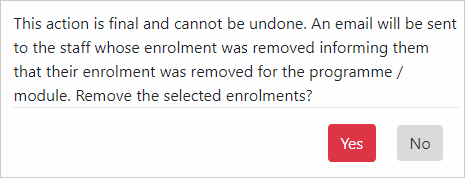
The person who has been removed will receive an email notifying them that you have removed them from the module.
Note: the email will be sent from no-reply@mail.tp-app.bb-icm-hosting.net