
Alternative text should provide a description of an image or object in one or two short sentences. The description of the image also needs to take the context of the page or document into consideration.
Alt description in different contexts
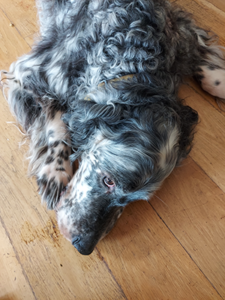
General description of image:
Dog lying on wooden floor. One front paw is is next to his chin.
Contextual description of image
- Document about dog behaviour: Dog lying on wooden floor. The dog looks guilty and signals submissiveness.
- Document about dog breeds: Blue-brindled English Setter lying on floor.
Find out how to create effective descriptions for images and graphics.
Microsoft help page: Writing effective alternative text
Decorative images
If an image is not used to convey meaning and removing the image would not make a difference to the understanding of the document, it should be marked as decorative.
What makes an image decorative?
Web Accessibility Imitative website: Decorative Images
Adding alternative text or marking image as decorative
Right click on the image in your document and select ‘Edit Alt Text’
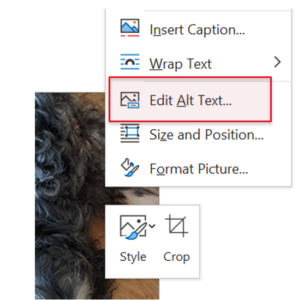
The edit panel opens. Add an image description or mark the image as decorative.
Word automatically generates image description. Edit the message as needed and remove the auto generated message stating the level of confidence.
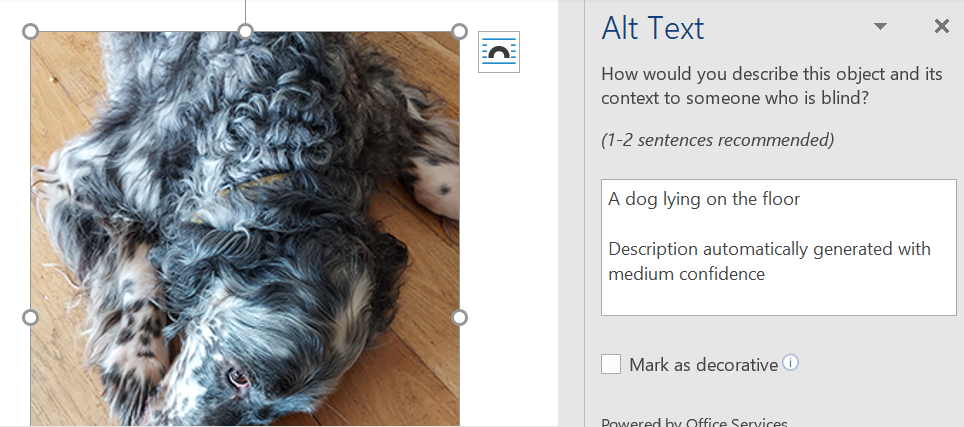
If your image is decorative, tick the ‘Mark as decorative’ box.
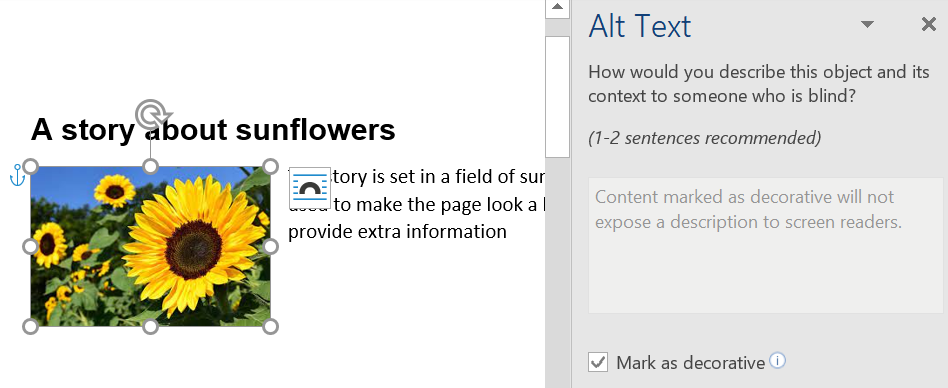
Inline images vs floated images
Images that convey meaning must be inline with the text so that screen readers can process the image in the correct reading order.
A decorative image can be floated to the left or right of a text block, or over another image.
Click on the image and then the menu icon that appears to open the Layout Options. Images are added as ‘In line with Text’ by default, only chose other options if your image is decorative.
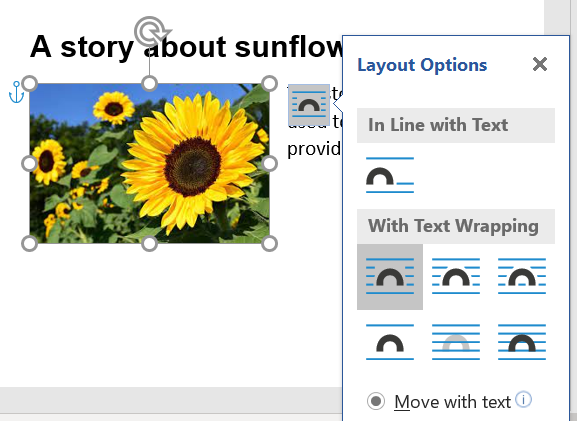
Example Image Descriptions
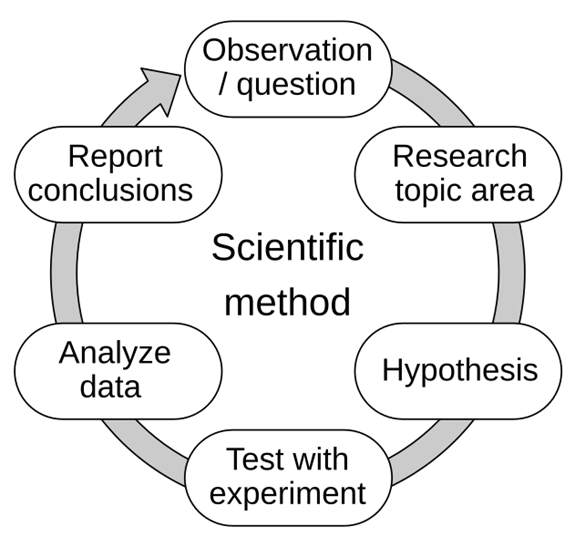
Circular diagram showing six steps of the scientific method: observation, research, hypothesis, experimentation, analysis, and reporting conclusions
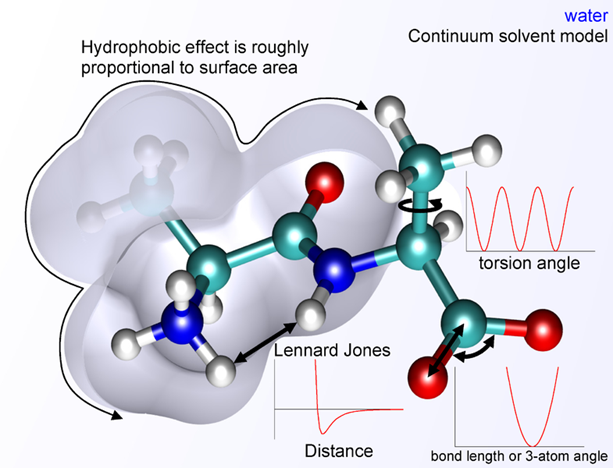
Molecular diagram showing hydrophobic interactions, Lennard Jones potential, bond angles, and torsion in a continuum solvent model of water
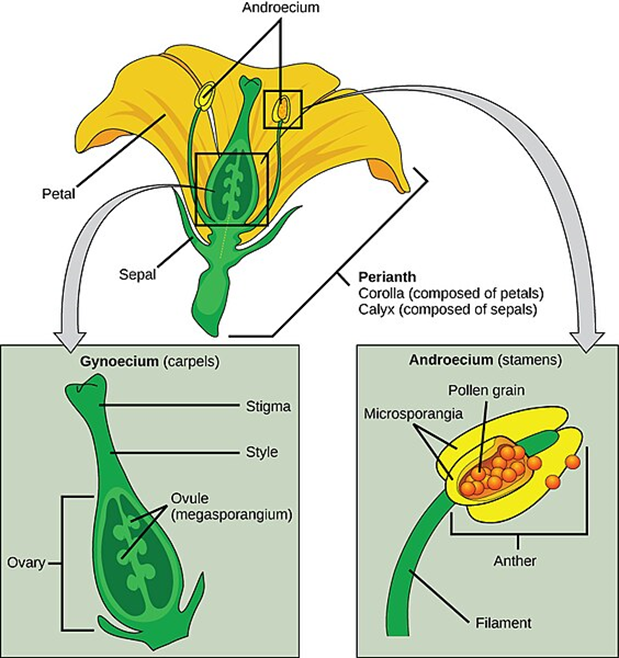
Flower anatomy diagram showing petals, sepals, and cross-sections of female (gynoecium) and male (androecium) reproductive structures
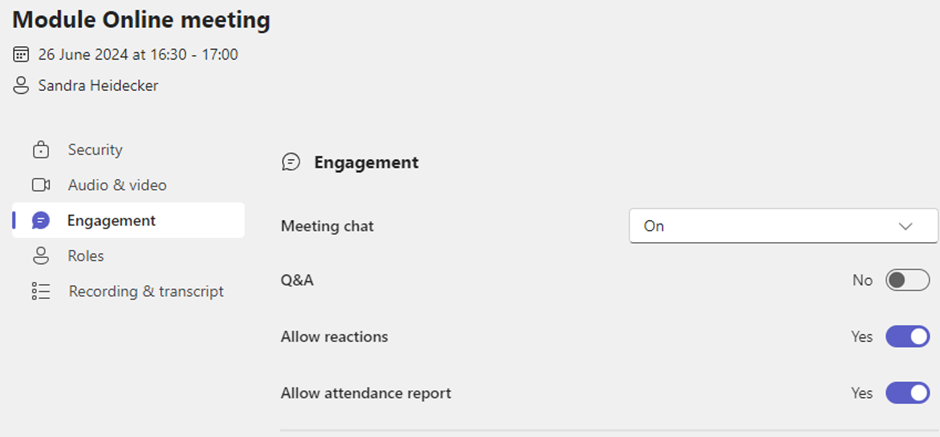
Screenshot of MS Teams meeting settings showing engagement options including meeting chat, Q&A, reactions, and attendance reporting
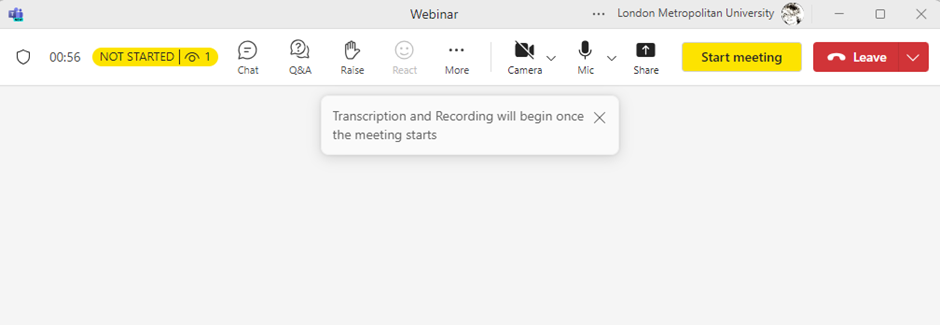
Context: image located on help guide explaining how to enable and use the Green Room
Screenshot of live Teams meeting with Green Room enabled showing ‘Not started’ message and ‘Start meeting’ button