
Peer assessments allow students to review submitted works of their peers and receive feedback on their submissions.
Watch the video: Peer Review Assessments
Create Peer Review Assignment
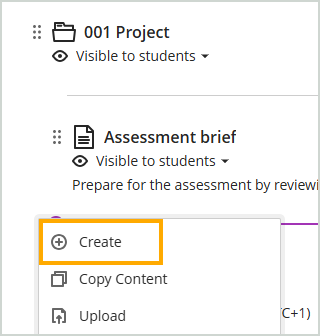
- Click on the Plus (+) sign in the relevant assessment component folder and select ‘Create’
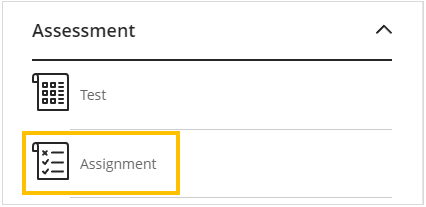
- On the Create Item panel scroll down to the Assessments section and select ‘Assignment’
- Add the name of the assignment and enter the submission instructions into the ‘Instructions’ text box, then select ‘Save’
Assignment Settings
Most of the assignment settings are not applicable for Peer Review assignments. The settings you need to configure are:
- Due date
- Allowed format for online submissions
- Formative assessment (if formative)
- Peer review settings
- Add marking Rubric (if applicable)
To access the Assignment Settings, click on the settings wheel icon to open the settings panel.
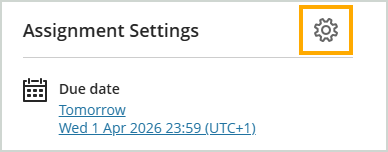
Set the ‘Due date’ to the date you would like students to submit the paper that needs to be reviewed. The review date will be set later.
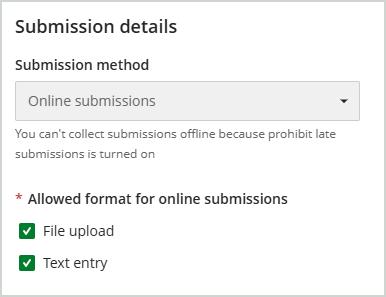
Under the Submission details section you can specify what format you expect students to submit under the ‘Allowed format for online submissions’ option.
| Submission format | Option |
|---|---|
| Files only (not including video files) | File upload |
| Video submissions and/or text only | Text entry |
| Submit video and/or text and files | File upload Text entry |
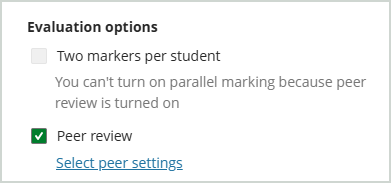
Under the Marking & Submissions section select the ‘Peer review’ checkbox and then open the peer review settings
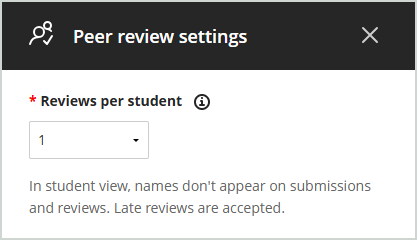
Set the number of reviews your would like each student to complete.
Reviewers are assigned automatically and randomly. Late submissions are incorporated into the review process, if unassigned reviewers remain.
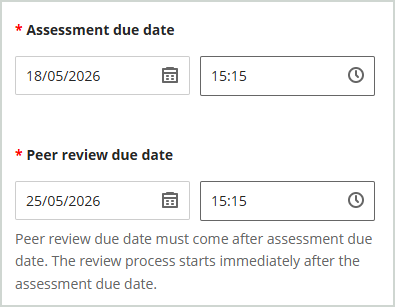
The ‘Assessment due date’ will have been set previously. Amend if required.
Set the Peer review due date. This is the date that student must have completed their reviews by.
Click on ‘Save’
Optionally, add a marking rubric.
Click on ‘Save’ again.
Once you are happy with the settings you can make the assignment link visible to students.