Turnitin assignment content for Digital Pack
Turnitin submissions can be bulk downloaded. A submission sample download for a Digital Pack should include:
- GradeMark PDFs for all students selected as sample
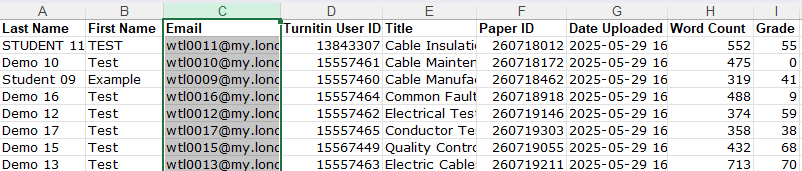
- The assessment’s Turnitin GradeReport for unique identifiers and list of marks
- Potential manual downloads required
- Artefacts: Downloads of any content included as link, either on the submission or the text feedback
Additional content
- Assessment brief and marking criteria as shared with students
- Copy of online rubric if used
GradeMark PDFs
A submission downloaded as GradeMark PDF include
- Submitted student paper
- All types of feedback (Overall text comment, mark-up, rubric)
- Student Mark
Not included
- Unique student identifier per submission (requires download of Grade Report)
- Linked artefacts (requires manual download of artefacts)
- Audio feedback (not downloadable)
Bulk download Turnitin submissions as GradeMark PDFs
- Go to the Turnitin inbox of the assessment you want to download
- Select the tick box for each student submission that should be included in the sample

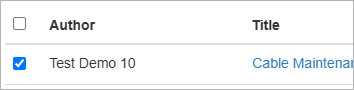
- Once all submissions are selected, click on ‘Download Selected’ and select ‘GradeMark PDFs’
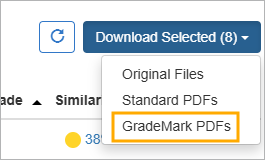
The files will be downloaded as a .zip file.
- Click on the link that will be displayed on screen to complete the download
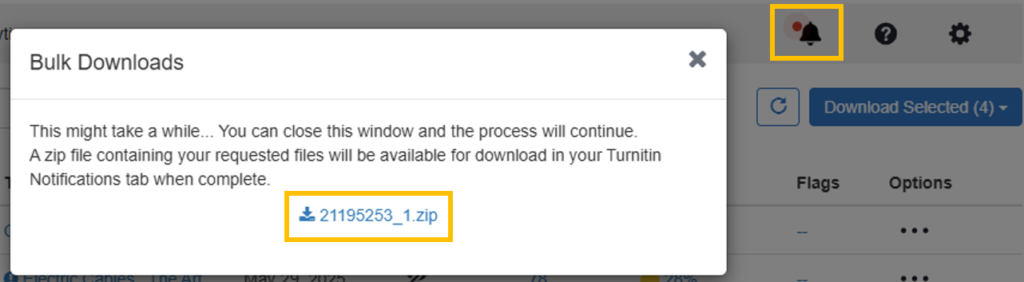
Alternatively, the link will become available in the Turnitin notifications for download at a later time.
Note: if the file download fails, you might need to select 10 submissions at a time to reduce the overall download size.
- Unzip the download file and add the content to SharePoint.
Download Grade Report
GradeMark PDFs file names only include the Turnitin Paper ID and a student’s first and last name. They do not include a unique London Met identifier to reliably link a submission back to a student on e:Vision.
Download the Turnitin Grade Report to provide unique London Met identifiers for submitted papers. The Grade Report contains London Met student email address as well as marks and similarity scores.
- Click on ‘Download All’ and select ‘Grade Report’.
Note: The option for the Grade Report download will only appear when NO student submission have been selected. If you can’t see the option, deselect all submissions and it will show.
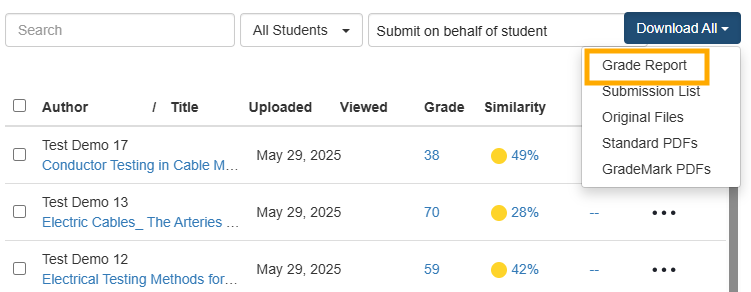
- Download the file from the browser download prompt.
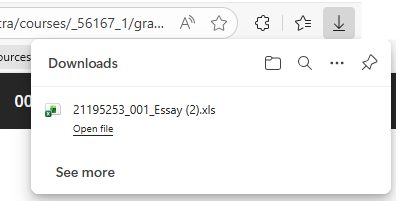
The file can be directly added to the SharePoint folder. It will contain the unique identifiers and marks as they appear on Weblearn for all student who have submitted to the assignment.