The Turnitin Paper Lookup tool will allow you to search for student submission papers across all modules where you have been enrolled as an instructor.
Under the Details & Actions menu click on ‘More Tools’

Next click on ‘Turnitin Paper Lookup Tool’

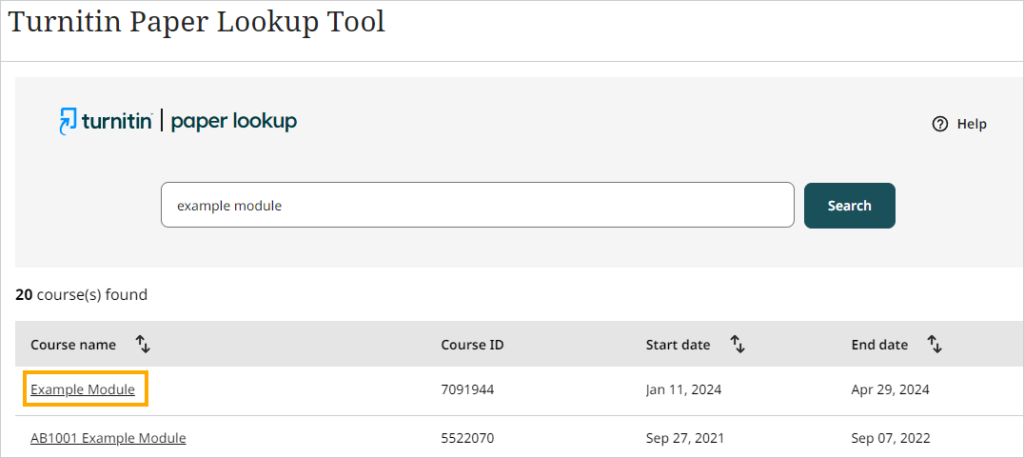
Use the search option to locate the module where the student uploaded the submission paper and then click on the name of the module
Click on the name of the assignment

The submissions page does not include a search option but you can sort the submission papers by author, paper tile and submission date.
You can use the pagination options at the bottom of the page to navigate through the submission papers.

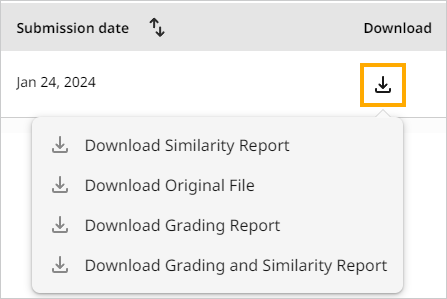
To download the submission click on the Download icon and choose to download:
- Similarity report – includes a PDF version of the submission paper with the details of any identified matches and their sources
- Original file – an exact copy of the file that was uploaded
- Grading report – includes a PDF version of the submission paper with the grade and feedback added to the paper
- Grading and similarity report – includes a PDF version of the submission paper with similarity report and grade and feedback