
London Met provides recordings of the content presented to students during a lecture. Interactive elements of a lecture, seminars and tutorial sessions are not commonly recorded.
Access Lecture Recordings
All lecture recordings will be published via the Weblearn module’s ‘Panopto Recordings’ link located inside the Key Resources folder in each module.
To access a recording, click on the ‘Panopto Recordings’ link
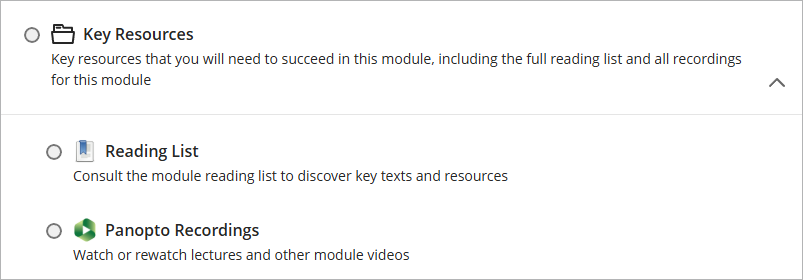
The Panopto folder opens in a new layer.
Click on the thumbnail image of a recording to view it.

The lecture recording will open in a new browser tab.
To get back to the Panopto Folder, close the tab or click on the tab for the module.

To get back to the module content, close the layer in which the Panopto folder opened by clicking on the purple square with an ‘x’ in the top left hand corner.

Access recordings directly on Panopto
If you cannot get your Panopto Folder in Weblearn to work, you can log into the Panopto site to access your module’s lecture recordings.
- Go to: https://londonmet.cloud.panopto.eu/
- Click on ‘Sign in’

If you are already logged into Weblearn, you will be automatically logged into Panopto. Otherwise the londonmet login opens.
Enter your username and password (same login details as Weblearn)
Once you are logged in, you can view all videos published in your Module’s Panopto Folder.
Click on Browse and expand the Blackboard folder to see all modules you have access to in Panopto
Click on the name of the module to see all videos in the Panopto folder for that module
If you have a lot of modules showing, use ‘Search all folder…’ to find your module.
