
A typical submission made to an assignment in Turnitin generates a Originality Report and a similarity score.
The similarity score is a percentage of a paper’s content that matches to Turnitin’s databases; it is not an assessment of whether the paper includes plagiarised material.
To investigate your similarity score you can open your report and investigate the matches found on your submission paper.
Access Originality Reports
To access your originality report:
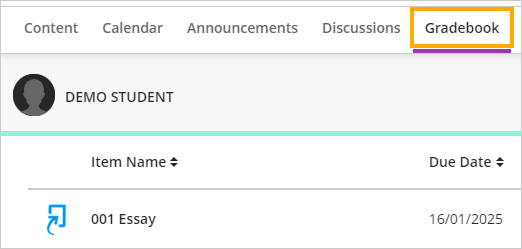
- Open the Gradebook page in your module and then click on the assignment link
- On your Assignment Dashboard, click on your Similarity score
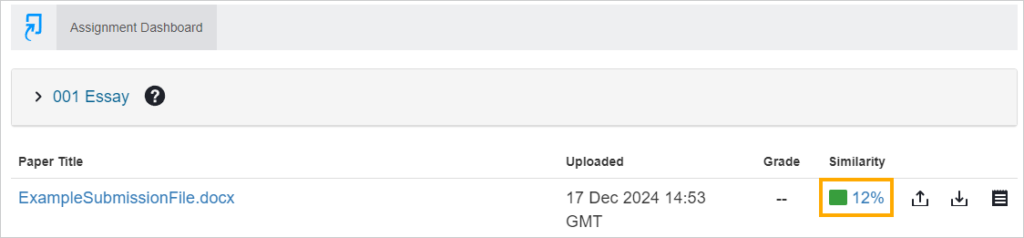
You submitted paper will now open in the feedback studio where you can view your originality report.
Understanding Originality Reports
Overview video for students: Understanding Turnitin Originality Reports
You will need to consider the originality report in more detail and look beyond the percentage of the Overall Similarity Index. To do this you can Manage exclusions and filters in the Similarity Report.
Plagiarism is not always as simple as copying from your friend, there are a whole hosts of ways a person can plagiarise as described above. The plagiarism spectrum identifies 10 different types of plagiarism and provides indicators on the severity of each kind.