
Panopto is the university video platform which is used for lecture recording and creating and storing videos.
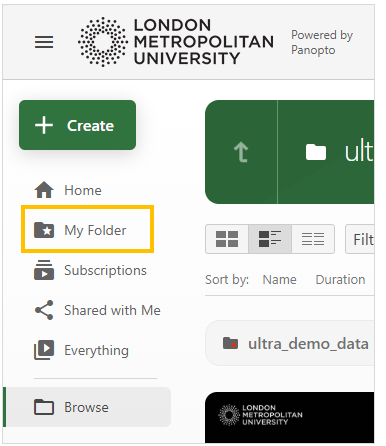
All students have a personal Panopto folder called ‘My Folder’ where they can create videos for sharing via Weblearn for online assessments – you should only use Panopto for video submissions if instructed by your lecturer.
Find out about video submissions: Submit Video File
Access Panopto
Video files can be created and uploaded to your My Folder on Panopto. Your My Folder can be accessed from the Panopto Recordings link in your module, or by logging into the Panopto website.
- Open the ‘Panopto Recordings’ link from inside the Key Resources folder
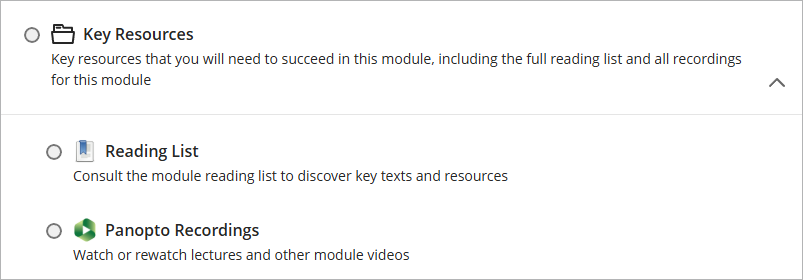
- Click on the ‘Open in Panopto’ icon

- Click on the ‘My Folder’ link in the Panopto menu
Getting Started: Record a Video
Create a video using your web browser – you do not need to download anything onto your computer.
Open the video in a new window:
Panopto for Windows
Install Panopto for Windows on your computer and access advanced recording options.
Open the video in a new window:
Panopto for Mac
Install Panopto for Mac on your computer and access advanced recording options.
Open the video in a new window: