
Access Panopto
Video files can be created and uploaded to your My Folder on Panopto. Your My Folder can be accessed from the Panopto Recordings link in your module.
- Open the ‘Panopto Recordings’ link from inside the Key Resources folder
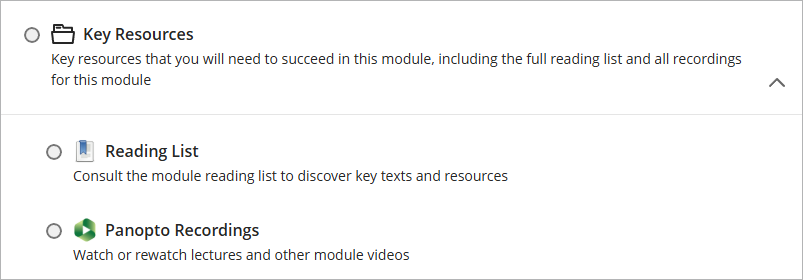
- Click on the ‘Open in Panopto’ icon

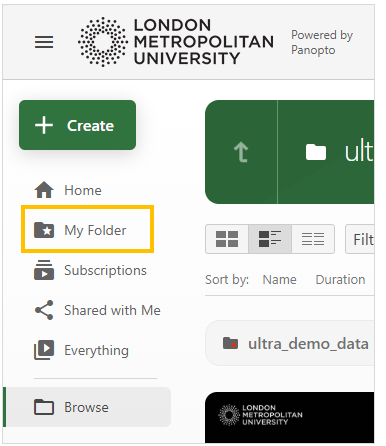
- Click on the ‘My Folder’ link in the Panopto menu
View the Panopto help page: Supported Media File Types for Uploading
Upload Video Files
Open the video in a new window:
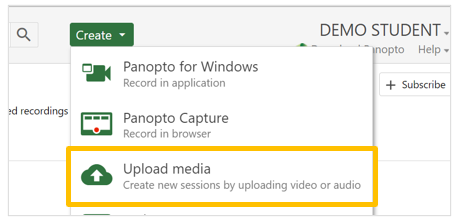
- In your My Folder on Panopto, select ‘Create’ then ‘Upload Media’
The ‘Add files to My folder’ panel will open
- You are able to either, drag and drop the file onto the screen, or click to open the file manager.

- Locate and select the file on your device.
Once you see the ‘Upload complete’ message it is safe to close the panel

Once the file has processed it will appear in your Panopto Folder and it is ready to be added to your assignment in Weblearn.
