
Progress tracking allows you to keep track of which content you have opened inside your Weblearn module.
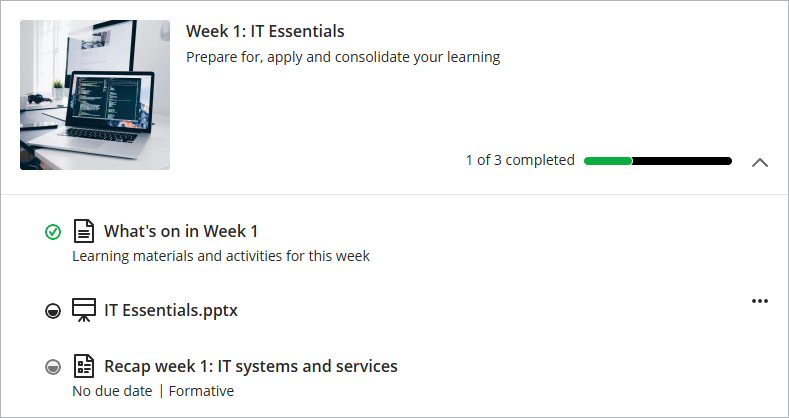
Open a learning module and open some of the content inside. As you navigate through the content the progress tracking indicator will mark each item of content you have opened as ‘Started’.
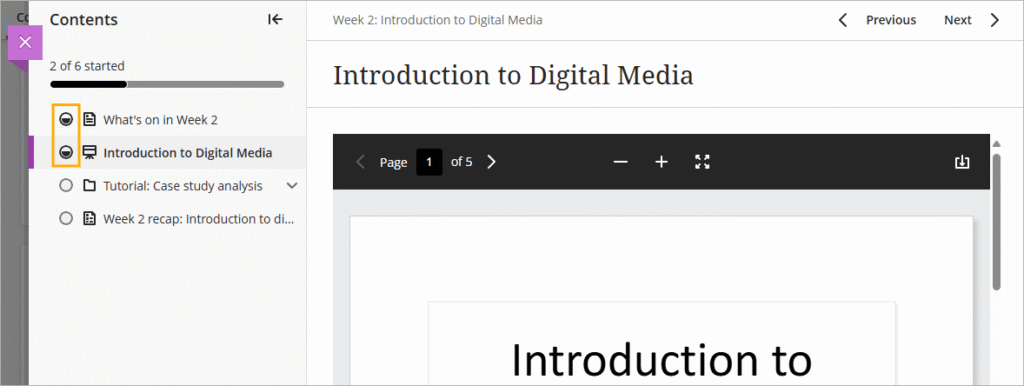
If you have finished with the item of content you can ‘Mark as Complete’
Note: content items marked as complete can still be accessed or changed back to ‘Started’ status if needed.

The progress tracking indicator will then show how many items of content you have ‘Completed’.

The progress tracking information is also visible on the outside of each learning module.

Your lecturers will also be able to see the progress tracking information and they may send you a message to remind you about content that you need to access.